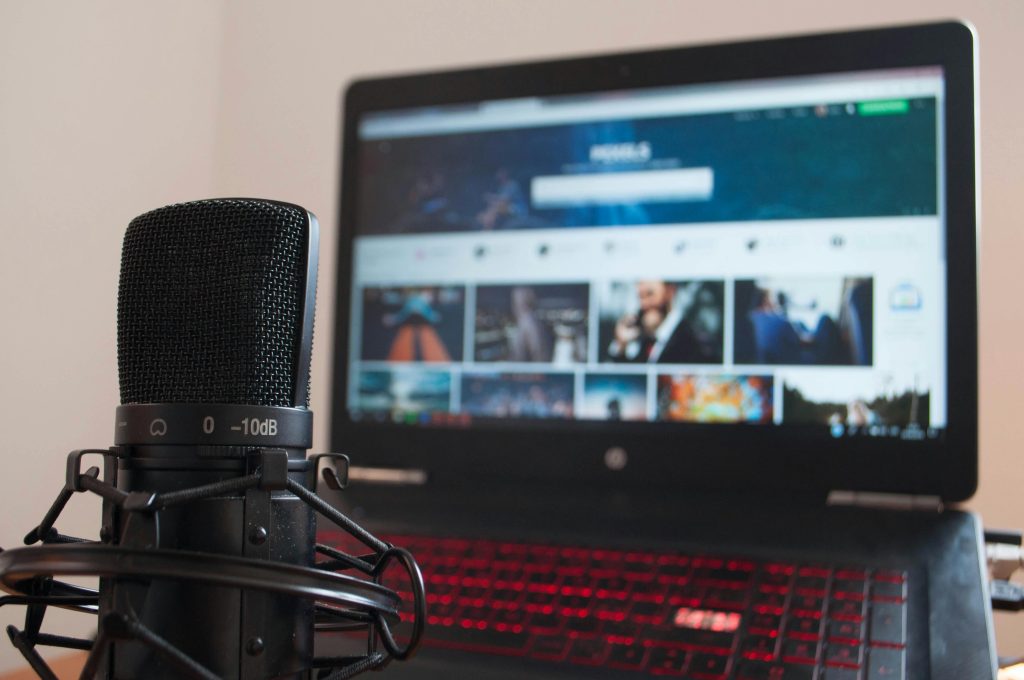
In the highly competitive world of YouTube in 2026, where content quality is king, crystal-clear audio is no longer a luxury—it’s a necessity. Viewers might forgive slightly imperfect video, but poor audio quality is a guaranteed way to lose subscribers. For every aspiring influencer, seasoned streamer, or dedicated content creator, investing in the best microphone for YouTube creators is as crucial as having a good camera.
At YourStation, we understand that building a professional setup requires careful consideration, especially when working with a budget. This guide will walk you through everything you need to know to select the perfect microphone, ensuring your voice is heard, loud and clear.
1. Why Your Microphone is More Important Than You Think
Many new creators prioritize video quality over audio, but studies consistently show that audiences are far more tolerant of lower video resolution than bad sound. Imagine trying to follow a compelling story if the narrator’s voice is muffled, echoing, or crackling. Frustrating, right?
A high-quality microphone ensures:
- Professionalism: Your content immediately sounds more polished and authoritative.
- Clarity: Your message is understood without effort, reducing viewer fatigue.
- Engagement: Clear audio keeps viewers watching longer and encourages subscriptions.
- Credibility: Good sound builds trust and positions you as a serious creator.
In 2026, with advanced noise cancellation and digital signal processing, even budget-friendly microphones can deliver exceptional performance if chosen wisely.
2. Types of Microphones for YouTube Creators
Understanding the different types of microphones is the first step to finding the best fit for your specific content style.
2.1. USB Microphones: Plug-and-Play Simplicity
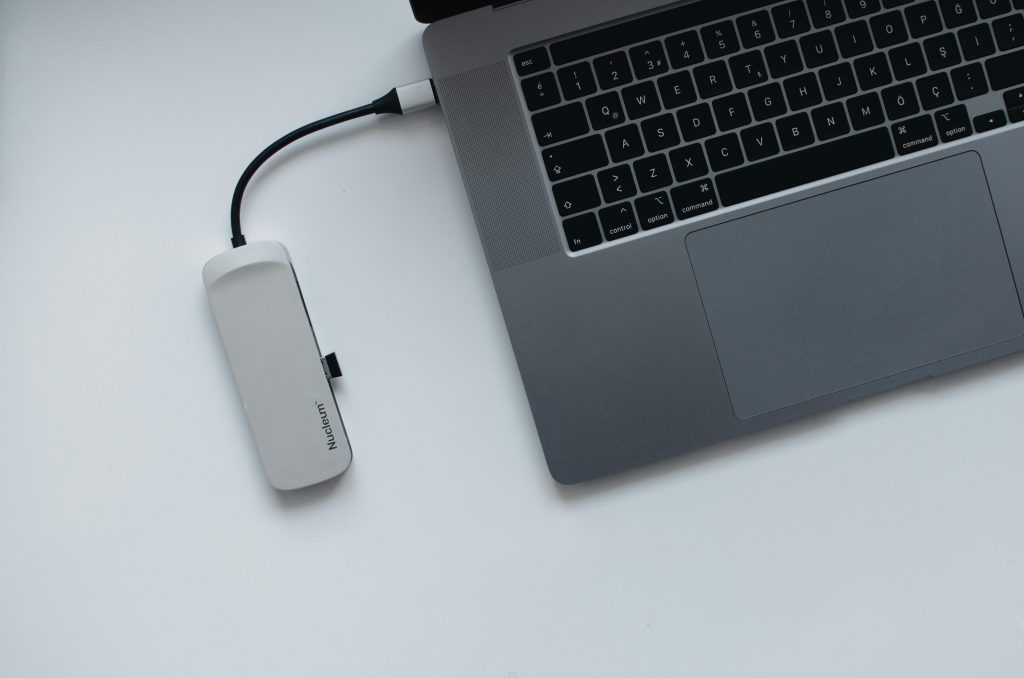
Ideal for: Beginners, podcasters, streamers, and anyone needing a quick, easy setup without additional equipment.
USB microphones connect directly to your computer or laptop via a USB port, bypassing the need for an audio interface. They often come with built-in headphone jacks for direct monitoring (listening to your voice as you record).
Pros:
- Extremely easy to set up and use.
- Often more affordable than XLR setups.
- Portable and convenient for on-the-go recording.
- Many models offer excellent sound quality for their price point.
Cons:
- Less versatile than XLR mics, as they cannot be connected to traditional audio mixers or interfaces.
- Limited upgrade path; you typically need to replace the entire mic to upgrade.
- Can sometimes pick up more background noise if not properly managed.
Key Features to Look For:
- Polar Patterns: Look for cardioid (picks up sound mainly from the front) to minimize room echo.
- Sampling Rate: Higher rates (e.g., 48kHz/24-bit) offer better fidelity.
- Headphone Jack: Essential for real-time monitoring.
2.2. XLR Microphones: The Professional Standard
Ideal for: Experienced creators, musicians, voice actors, and anyone seeking maximum flexibility, upgradability, and superior sound quality.
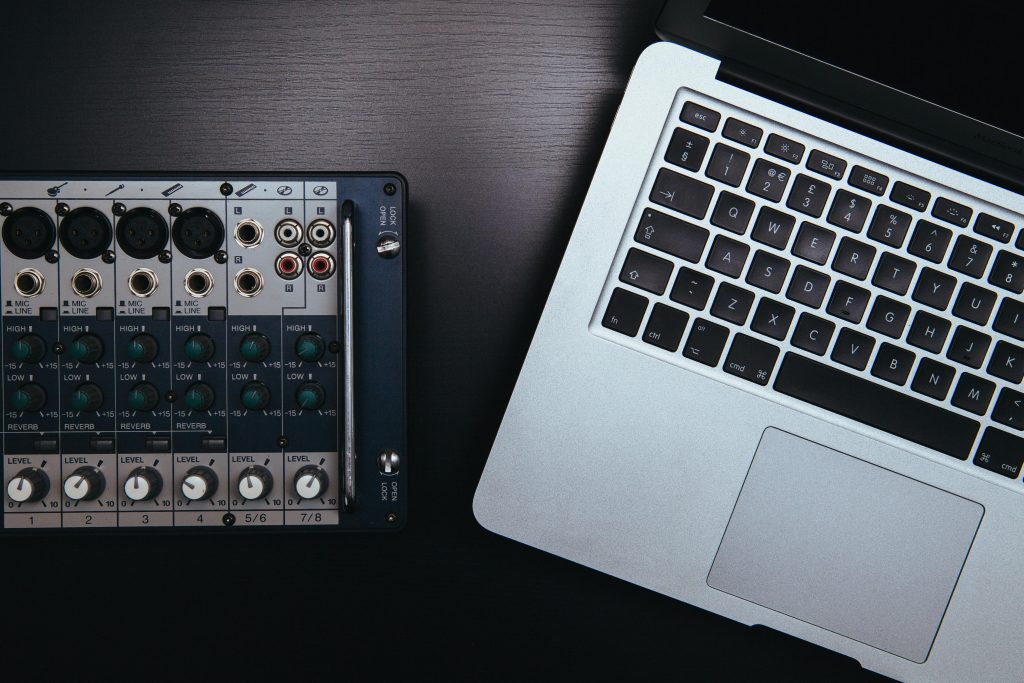
XLR microphones require an audio interface (like a mixer or pre-amp) to connect to your computer. This interface converts the analog signal to digital and often provides phantom power (48V) needed for condenser microphones.
Pros:
- Superior Sound Quality: Generally offer a wider dynamic range and better signal-to-noise ratio.
- Flexibility & Control: Connect to mixers for advanced audio shaping and multiple mic setups.
- Durability: XLR cables are robust and less prone to interference.
- Upgrade Path: You can upgrade individual components (mic, interface, pre-amp) over time.
Cons:
- More complex setup, requiring an additional audio interface.
- Higher initial investment.
- Less portable for mobile setups.
Key Features to Look For:
- Type: Condenser (sensitive, great for studio vocals) or Dynamic (robust, great for loud sources like gaming or live streaming).
- Frequency Response: A flat response is generally preferred for voice.
- Built Quality: A sturdy metal construction is a sign of durability.
2.3. Lavalier (Lapel) Microphones: Discreet and Portable
Ideal for: Vlogs, interviews, presentations, or any scenario where the microphone needs to be discreet and close to the speaker.
Lavalier mics are small, clip-on microphones that attach to your clothing, typically near the mouth. They can be wired (connecting to your camera or phone) or wireless (transmitting to a receiver).
Pros:
- Extremely discreet and unobtrusive.
- Keeps the microphone close to the sound source, minimizing room echo.
- Excellent for mobility and interviews.
Cons:
- Can sometimes pick up rustling clothing noise.
- Wireless systems can be prone to interference or battery issues.
- Often capture a narrower frequency range compared to large diaphragm mics.
Key Features to Look For:
- Omnidirectional vs. Cardioid: Omnidirectional picks up sound from all directions (good for general use), while cardioid (less common for lavs) can help in noisy environments.
- Cable Length (wired): Ensure it’s long enough for your needs.
- Battery Life (wireless): Crucial for longer shoots.
3. Essential Features for YouTube Creators in 2026
Beyond the basic types, specific features can make a microphone truly stand out for YouTube content.
3.1. Polar Patterns: Shaping Your Sound
The polar pattern describes how a microphone picks up sound from different directions.
- Cardioid: (Heart-shaped) Picks up sound primarily from the front, rejecting sound from the sides and rear. This is the most common and recommended pattern for YouTube creators to reduce room noise.
- Omnidirectional: Picks up sound equally from all directions. Great for interviews with multiple people around a table or capturing ambient sound.
- Bidirectional (Figure-8): Picks up sound from the front and rear, rejecting sound from the sides. Useful for two-person interviews facing each other.
- Supercardioid/Hypercardioid: Narrower pickup pattern than cardioid, offering even greater rejection of side noise. Excellent for isolating a single voice in a noisy environment.
3.2. Frequency Response: The Voice of Your Content
This indicates the range of frequencies a microphone can capture. For spoken word (dialogue, narration), a microphone that accurately reproduces frequencies between 80 Hz and 15 kHz is generally sufficient. A flat frequency response is ideal, meaning it doesn’t artificially boost or cut certain frequencies, giving you a natural sound that’s easier to edit.
3.3. Sample Rate & Bit Depth (for USB Mics)
- Sample Rate (e.g., 48 kHz): How many times per second the analog audio signal is converted into digital data. 48 kHz is standard for video.
- Bit Depth (e.g., 24-bit): The dynamic range and precision of each sample. 24-bit offers more headroom and less noise than 16-bit.
3.4. Built-in Pop Filter and Shock Mount
- Pop Filter: A mesh screen that diffuses plosive sounds (P’s and B’s) that can create harsh “pops” in your audio.
- Shock Mount: A suspension system that isolates the microphone from vibrations (like bumping your desk), preventing unwanted rumble.
Many modern USB microphones integrate these, but for XLR mics, they are often external accessories.
3.5. Headphone Monitoring (Zero-Latency)
For any serious creator, a headphone jack on the microphone (or audio interface) is critical. It allows you to hear your voice as you record, without any delay (latency), so you can catch issues like peaking, background noise, or incorrect mic placement in real-time.
4. Top Picks for YouTube Creators in 2026
Considering all the features, here are some categories of microphones that consistently deliver for YouTube creators, from entry-level to professional studios.
4.1. Best USB Microphone for Beginners: The All-Rounder
If you’re just starting, a solid USB mic is your best friend. Look for models with a cardioid pattern, built-in pop filter, and a headphone jack. These mics offer an incredible balance of quality and ease of use.
4.2. Best XLR Microphone for Studio Vocals: The Professional Choice
For dedicated voice-overs, podcasts, or music, an XLR condenser microphone is unmatched. Pair it with a good audio interface and a proper acoustic treatment in your room for truly broadcast-quality sound.
4.3. Best Wireless Lavalier System for On-the-Go Vlogging: Freedom to Move
For dynamic content, interviews, or vlogs where you need to move freely, a wireless lavalier system is indispensable. Modern systems offer impressive range and battery life, allowing you to capture clear audio without being tethered.
Internal Link: Enhance your YouTube setup with our AI-Track Pro Smart Tracking for stable video that matches your perfect audio.
5. Beyond the Microphone: Building Your Audio Station
A great microphone is a cornerstone, but a professional audio setup involves more than just the mic.
5.1. Acoustic Treatment: Taming Your Room
Even the best microphone will sound bad in a room full of echoes. Simple acoustic treatment, like foam panels, bass traps, or even heavy blankets, can dramatically improve your sound by absorbing reflections.
5.2. Audio Interface/Mixer: The Brain of Your XLR Setup
For XLR microphones, an audio interface is essential. It provides phantom power, converts analog to digital, and allows you to adjust gain (input volume). A mixer offers more inputs and controls, ideal for multiple microphones or live streaming with different audio sources.
5.3. Accessories: Small Details, Big Impact
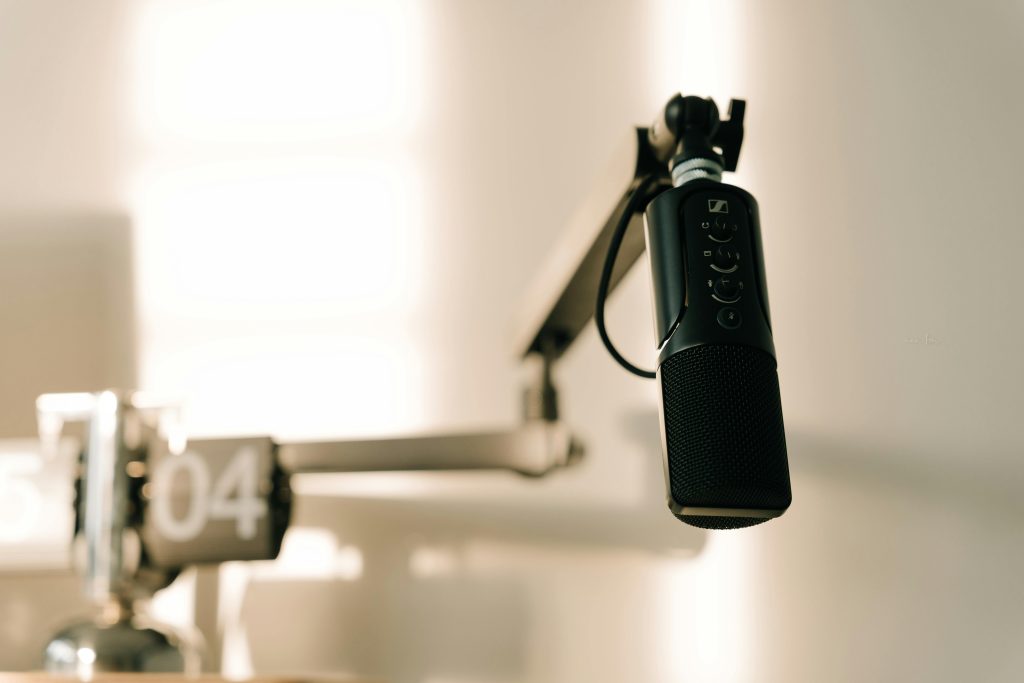
- Boom Arm: Keeps your microphone off your desk, reducing vibrations and freeing up space.
- Pop Filter: (If not built-in) Essential to eliminate harsh plosives.
- Shock Mount: (If not built-in) Prevents rumble from desk bumps.
- Cables: Invest in good quality XLR or USB cables to avoid interference.
- Headphones: Closed-back headphones are crucial for accurate monitoring without sound bleeding into the microphone.
Internal Link: Complement your audio setup with stunning visuals. Check out our Aura Bars™ Pro RGB Ambient Lighting to create an immersive background.
6. Optimizing Your Audio for YouTube: Post-Production Tips
Even with the best microphone, a little post-production can elevate your audio from great to exceptional.
- Noise Reduction: Use software tools (like Audacity, Adobe Audition, DaVinci Resolve) to subtly remove constant background hums or fan noise. Be careful not to overdo it, as it can make your audio sound artificial.
- Compression: This reduces the dynamic range, making the loud parts quieter and the quiet parts louder. It helps your voice sound more consistent and present.
- EQ (Equalization): Boost frequencies that add clarity and warmth to your voice, and cut those that sound muddy or harsh.
- Limiting: Prevents your audio from peaking above 0 dB, ensuring no distortion.
- Normalization: Adjusts the overall volume of your track to a standard level (e.g., -6 dB or -12 dB for YouTube), ensuring your videos are consistently loud enough.
Related Article: Learn how to capture the best video to pair with your pristine audio: yourstation.shop/blog/best-mirrorless-camera-for-content.
7. Common Mistakes to Avoid When Choosing a Microphone
- Ignoring Your Environment: A sensitive studio condenser mic will pick up every echo in an untreated room. Match the mic to your space.
- Too Close/Too Far: Microphones have a “sweet spot.” Experiment with distance (usually 6-12 inches) for the best sound.
- Not Monitoring: Recording without headphones is like driving with your eyes closed. You won’t know if there are issues until it’s too late.
- Over-Processing: Excessive noise reduction or compression can make your audio sound unnatural. Less is often more.
- Neglecting Cables: Cheap, unshielded cables can introduce unwanted noise and interference.
8. Maintaining Your Microphone: Longevity and Performance
A good microphone is an investment. Proper care ensures it lasts and performs consistently.
- Keep it Clean: Use a soft, dry cloth to wipe down the body. For pop filters, check if they are washable.
- Store Properly: When not in use, store your microphone in its case or covered to protect it from dust and humidity.
- Handle with Care: Avoid dropping or bumping your microphone. Internal components are delicate.
- Protect from Moisture: Never expose your microphone to excessive humidity or liquids.
- Phantom Power First (XLR): Always connect your XLR microphone to the interface before turning on phantom power, and turn off phantom power before disconnecting. This prevents damaging pops.
Conclusion
Choosing the best microphone for YouTube creators is a pivotal step in elevating your content. Whether you opt for the simplicity of a USB mic, the versatility of an XLR setup, or the discretion of a lavalier, prioritize clarity, professionalism, and your specific needs.
At YourStation, we are committed to helping you build a setup that empowers your creativity without breaking the bank. By combining a top-tier microphone with smart accessories like AI gimbals and ambient lighting, you’re not just making videos—you’re crafting an immersive experience for your audience.
Explore our full range of creator essentials at YourStation.shop and make your voice heard with unparalleled clarity.