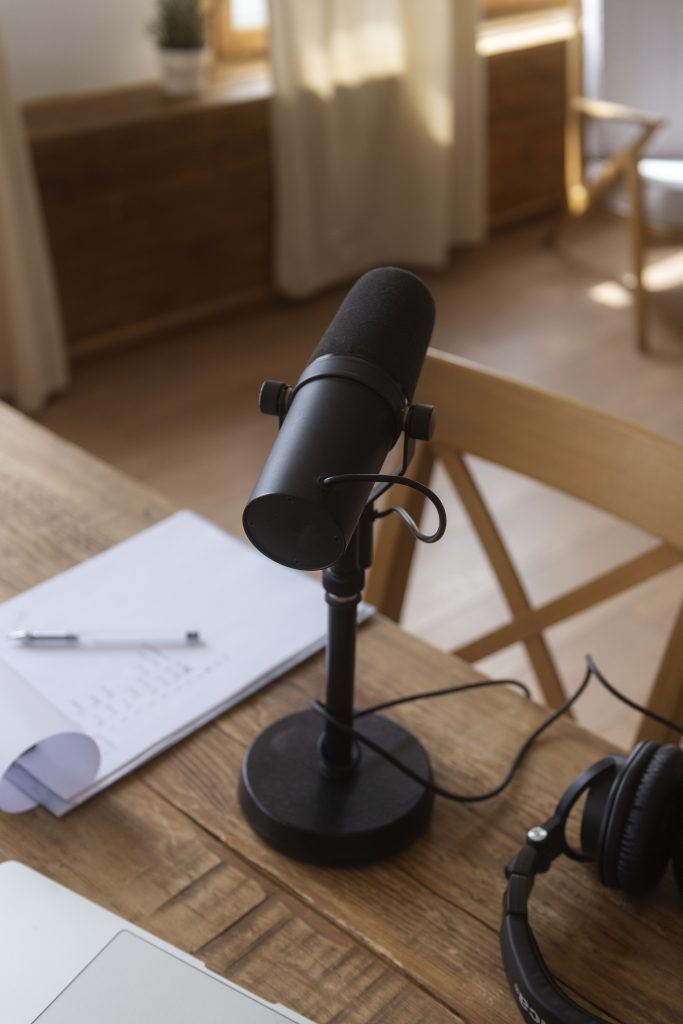
In the modern creator economy of 2026, the barrier to entry has never been lower, but the standard for quality has never been higher. Whether you are launching a podcast, starting a YouTube channel, or building a presence on Twitch, one rule remains absolute: Audio is 70% of the viewer experience.
While viewers might overlook a slightly grainy 1080p video, they will immediately click away if your audio is thin, echoey, or filled with background hiss. But here is the good news: you don’t need a $1,000 studio setup to sound like a professional. In this guide, we’ll break down the best budget microphone for creators and show you how to build a world-class setup on a realistic budget.
1. Why Audio Quality is Your Brand’s “Invisible” Handshake
Before we dive into the hardware, it is essential to understand why we are prioritizing the microphone. Think of your audio as your digital handshake. It’s the first thing that creates intimacy and trust between you and your audience.
If you are a gamer, clear audio means your callouts in GTA 5 or Valorant are heard instantly. If you are an influencer, it means your voice sounds warm and authoritative. Using a cheap laptop or webcam mic makes you sound like you’re “screaming from inside a tin can”—a mistake that kills retention rates.
2. The Great Debate: USB vs. XLR for Beginners
When looking for the best budget microphone for creators, you’ll encounter two main types of connectivity. Choosing the right one depends on your workflow and your future plans.
USB Microphones: The “Plug-and-Play” Kings
USB microphones are the most popular choice for beginners. They plug directly into your computer and require zero additional gear.
- Pros: Extremely easy to use, portable, and cost-effective.
- Cons: Limited upgradability. You can usually only use one USB mic at a time.
XLR Microphones: The Professional Foundation
XLR mics require an audio interface to connect to your PC. This setup is what professional radio stations and recording studios use.
- Pros: Better sound quality, modular (you can swap mics or interfaces later), and long-lasting.
- Cons: More expensive initially because you need to buy the mic, a cable, and an interface.
Internal Insight: If you are also looking to upgrade your visual game, check out our guide on thebest camera for creators 2026.
3. Top Picks: The Best Budget Microphones for Creators in 2026
We have tested dozens of units to find the “sweet spot” where price meets performance. Here are our top recommendations for different types of content creators.
A. The Best Overall Value: The Dynamic Cardioid
For most creators working in bedrooms or untreated offices, a Dynamic Cardioid Microphone is the winner. These mics are “less sensitive,” meaning they focus on your voice and ignore the hum of your computer fan or the neighbor’s dog.
B. The Streaming Specialist: RGB and Style
If you are a streamer, aesthetics matter. Many budget mics now come with integrated lighting to match your setup. Pair these with our Aura Bars™ Pro RGB Ambient Lighting to create a cohesive, professional look on camera.
C. The Podcast Powerhouse
For long-form storytelling, you want a mic that captures the “low-end” of your voice, giving it that rich, broadcast quality. Even at a budget price, certain mics can emulate the legendary sound of high-end studio units.
4. Understanding Polar Patterns: The Secret to Clean Audio
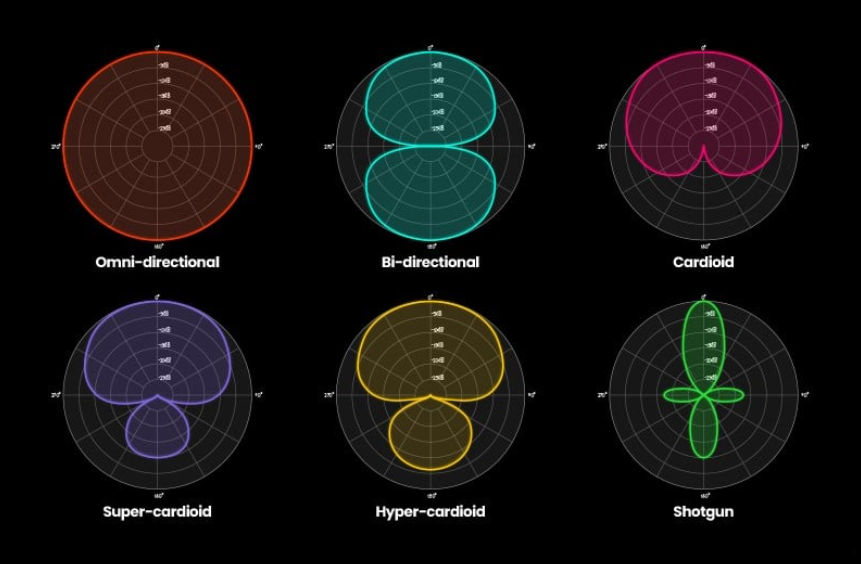
The “Polar Pattern” is simply the area around the microphone where it is most sensitive to sound. If you pick the wrong pattern, you’ll pick up every keyboard click and mouse movement.
- Cardioid: This is the heart-shaped pattern you want. It picks up sound from the front and rejects everything else. Perfect for solo creators.
- Omnidirectional: Picks up sound from all 360 degrees. Avoid this unless you are recording a group at a round table.
- Bidirectional: Picks up sound from the front and back. Useful for one-on-one interviews with a single mic.
5. How to Make a $50 Mic Sound Like $500
The best budget microphone for creators is only as good as the environment it’s in. You can “hack” your way to professional sound with these three steps:
The “Closet” and Soft Surfaces
Sound bounces off hard surfaces (walls, desks, monitors). This creates echo. You can fix this by:
- Adding rugs under your desk.
- Hanging heavy blankets or curtains.
- Placing the microphone away from the center of the room.
Mic Technique: The 4-Finger Rule
Many beginners speak too far away from the mic. Aim to keep your mouth about 4 to 6 inches away (roughly the width of your hand). This ensures a strong “signal-to-noise ratio,” making your voice loud and clear while background noise stays quiet.
Use a Boom Arm
Don’t leave your mic on a flimsy plastic desk stand. Every time you touch your mouse or desk, a “thud” will go through the recording. A quality boom arm isolates the mic and keeps it perfectly positioned.
Pro Tip: For creators who do standing videos or movement-heavy content, a microphone is just one part of the puzzle. You might also need theAI-Track Pro Smart Trackingto ensure you stay in frame while your audio stays crisp.
6. Essential Accessories for Your Budget Setup
To truly get the most out of your purchase, consider these low-cost additions:
- Pop Filter: Prevents those harsh “P” and “B” sounds (plosives) from hitting the mic.
- Shock Mount: Suspends the mic in rubber bands to stop desk vibrations.
- Monitoring Headphones: You MUST hear yourself in real-time to ensure your levels are correct.
7. Post-Production: The Final 10%
Even the best budget microphone for creators needs a little help in post-production. You don’t need expensive software; free tools like Audacity or OBS (for streamers) are perfect.
- Noise Gate: It tells the mic to “shut up” when you aren’t talking.
- Compressor: It makes your quiet whispers and loud screams sound consistent in volume.
- Equalizer (EQ): Use this to add a little “bass” to your voice or remove “muddiness.”
8. Avoiding the “Budget Trap”
When shopping, avoid microphones that rely on marketing gimmicks like “10-in-1 functions” or “Extreme Sensitivity.” Often, these mics use cheap plastic components that break within months. Look for metal-bodied microphones with heavy-duty connectors.
If you’re also building a video setup alongside your audio, don’t forget to check out our detailed guide on the best microphone for youtube 2026 for more specific video-centric options.
[Insert Image: A side-by-side comparison diagram showing a “Clipped” waveform vs. a “Healthy” waveform.]
9. Conclusion: Stop Researching, Start Creating
Finding the best budget microphone for creators is about finding a tool that removes friction. You want a mic that is easy to set up, sounds great out of the box, and allows your personality to shine through.
At YourStation.shop, we believe that every creator deserves professional tools at an accessible price. Whether you choose a simple USB setup or a scalable XLR system, the most important step is to hit “record.”
Your audience isn’t waiting for you to have a $5,000 setup; they are waiting for your unique perspective and your voice. Make sure they can hear it clearly.
Ready to Build Your Station?
Explore our curated selection of creator gear:
- Upgrade your studio vibes with our Aura Bars™ Pro.
- Master your motion with the AI-Track Pro.
- Read our latest reviews on YouTube gear.