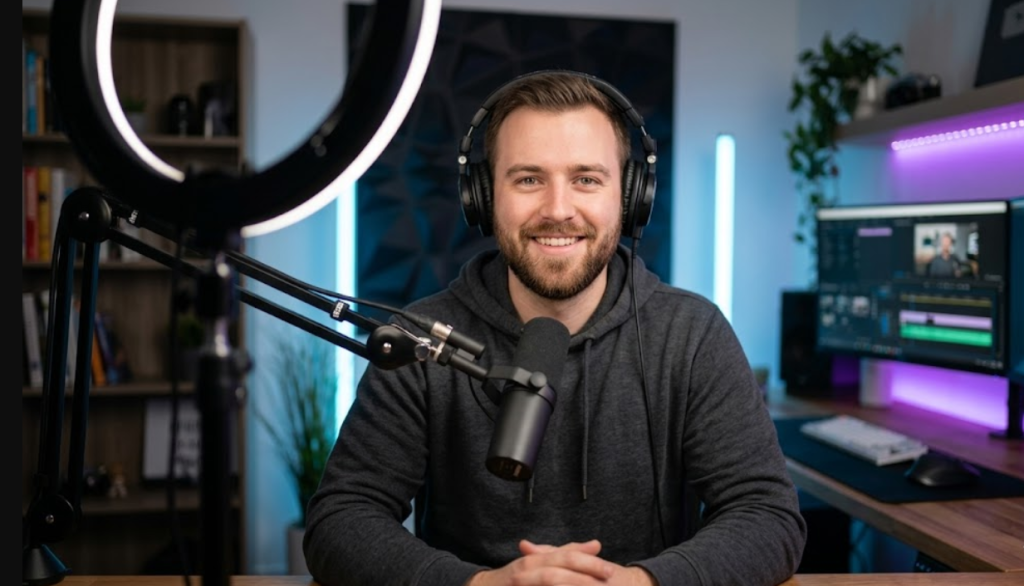
As a content creator in 2026, you know that the visual quality of your videos can make or break your channel. But with all the expensive gear out there, it’s easy to feel like you need a Hollywood budget to make great-looking content. That couldn’t be further from the truth. In fact, some of the most successful YouTubers and TikTokers started with minimal setups.
The secret? It’s not about how much money you spend on a light; it’s about how you use it. This article is your ultimate guide to creating a professional-looking, budget-friendly lighting setup that will make your content shine. We’ll cover the core principles of lighting, recommend essential gear, and show you exactly how to arrange it all for maximum impact—all without emptying your crypto wallet.
Why Lighting is More Important Than Your Camera
Before we dive into the best budget gear, let’s get one thing straight: great lighting can make a cheap camera look fantastic, but bad lighting will make even the most expensive 8K cinema camera look terrible. Lighting is the foundation of any great image.
Here is what professional lighting does for your content:
- Improves Video Quality: It reduces grain, improves color accuracy, and makes your video look sharper and more polished.
- Sets the Mood: Lighting can make a video feel cozy, dramatic, professional, or energetic.
- Draws the Viewer’s Eye: You can use light to highlight yourself (or a product) and separate it from the background.
- Increases Watch Time: People are more likely to watch a video that is well-lit and easy on the eyes.
If you are on a tight budget, spend your money on lighting first. For a deep dive into choosing the right camera, check out our article on the [yourstation.shop/blog/best-camera-for-creators-2026]. But remember, that camera won’t reach its full potential without great light.
Understanding the Core Concepts of Lighting
You don’t need to be a lighting designer to get great results. You just need to understand three key concepts: hard vs. soft light, color temperature, and the three-point lighting setup.
Hard Light vs. Soft Light
- Hard Light creates distinct, sharp shadows. Think of the bright sun at midday. It can look dramatic, but it’s often unflattering for people as it highlights skin imperfections.
- Soft Light is diffused. Think of a cloudy day. It produces gentle, feathered shadows and is much more flattering for faces, creating that professional, smooth look you see in high-end videos. For creators, soft light is almost always the goal.
Color Temperature
Light isn’t just bright or dim; it has a color. This is measured in Kelvin (K).
- Warm Light (2700K – 3500K): Think of a classic incandescent lightbulb or the “golden hour” before sunset. It feels cozy, inviting, and intimate.
- Cool/Daylight (5000K – 6500K): This is closer to natural daylight. It looks clean, professional, and energetic. This is the standard for most video production.
The most important rule is consistency. Never mix a warm lamp with a daylight-balanced video light in the same shot, or your colors will look strange.
The Three-Point Lighting Setup
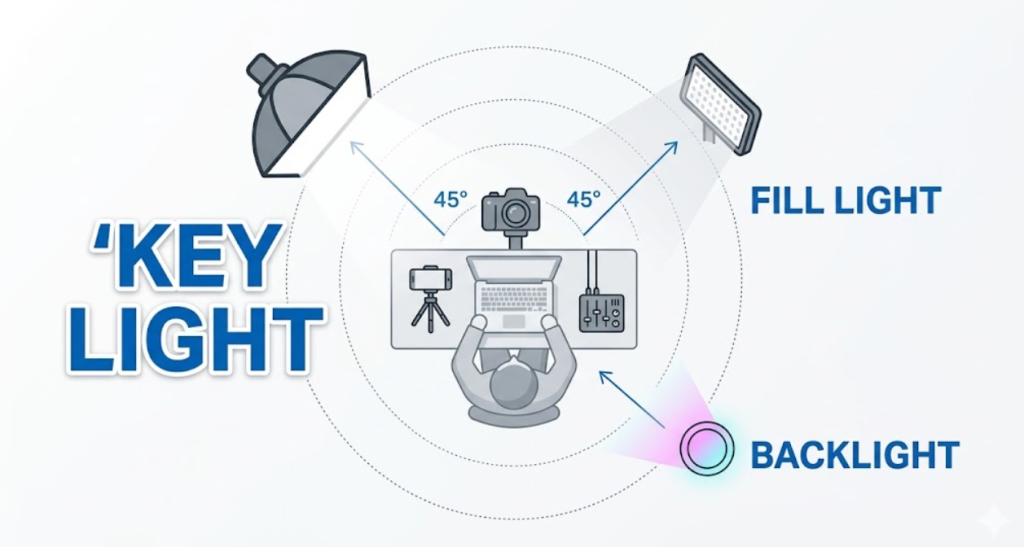
This is the standard, time-tested formula for lighting a subject. Once you master this, you can light anything.
- Key Light: This is your main, brightest light. It’s placed to one side of the camera, aimed at the subject.
- Fill Light: Placed on the opposite side of the camera from the Key Light. Its job is to “fill in” the harsh shadows created by the Key Light. It should be less bright.
- Backlight (or Rim Light): Placed behind the subject, slightly high and pointed at the back of their head/shoulders. It creates a nice outline, separating the subject from the background and adding depth.
The Best Budget Gear for a 3-Point Lighting Setup
Now that you know the how, let’s look at the what. This is where we build your best budget lighting setup with gear from YOURSTATION.SHOP.
The Key Light: The Ring Light (The Budget Creator’s Best Friend)
For creators, especially those just starting, the ring light is a revolutionary piece of gear. It combines a key light and a softbox into one, creating a flattering, near-shadowless light that is perfect for talking-head videos.
Our top recommendation for a budget-friendly key light is the [PRODUCT LINK: 18-inch LED Ring Light]. Here’s why:
- Soft, Diffused Light: It’s inherently soft, eliminating harsh shadows on your face.
- Integrated Phone Mount: It holds your camera exactly where the light is most even.
- Adjustable Color Temperature & Brightness: You can switch between warm, cool, and neutral light to match your environment.
- Eye “Catchlights”: It creates that signature circular “sparkle” in your eyes that looks very engaging.
If you don’t use a ring light, a classic softbox like the [PRODUCT LINK: Single Softbox Continuous Light] is your other primary option for a key light.
How to Set Up Your Key Light:
Place the ring light directly behind your camera (or mount your phone in the center). For a more dynamic look with a softbox, place it at a 45-degree angle to one side of you, slightly above eye level and pointed down.
The Fill Light: A Simple Bounce or Second Light
You have two budget-friendly options for your fill light:
- Option A: The 5-in-1 Reflector (Cheapest): This is the ultimate budget solution. It’s not an actual light, but a large, reflective surface. You place it on the opposite side of your key light to “bounce” the light back onto your face, softening shadows. The white or silver side works best. The [PRODUCT LINK: 5-in-1 Photography Reflector] is an indispensable, dirt-cheap tool.
- Option B: A Smaller LED Panel: For more control, use a smaller, less powerful light. It is perfect for this. It’s dimmable and battery-powered, so you can place it anywhere to get the perfect amount of fill.
How to Set Up Your Fill Light:
Place the reflector or second light on the opposite side of your camera from the key light. Its purpose is only to soften the shadows, not eliminate them, so it should be much less intense than the key light.
The Backlight: Adding Depth and Separation
This light makes a massive difference in how professional your video looks. For a backlight, you can use a smaller, focused light.
Our top recommendation is the [PRODUCT LINK: Mini RGB Video Light]. It’s tiny, powerful, magnetic, and has full color (RGB) control.
How to Set Up Your Backlight:
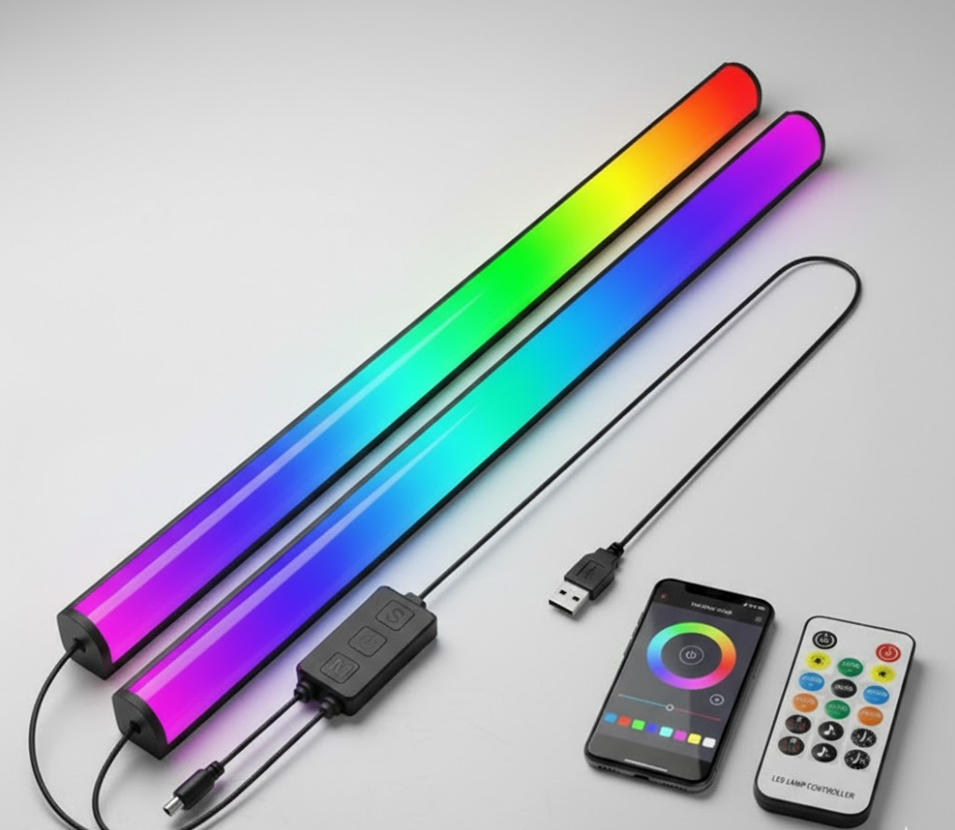
Place the mini RGB light behind you, slightly higher than your head, and point it at the back of your shoulders and hair. If it’s too bright, you can dim it. This will create a “halo” effect that separates you from the background.
The Secret Weapon: Background (Practical) Lighting
You’ve lit yourself, but your background is just as important. In the content creation world, these are often called “practical lights.” They aren’t meant to light you; they are meant to add personality, color, and texture to the scene.
This is where you can truly show your personality, and for this, RGB lighting is king.
- RGB LED Bars: Line the back of your desk, shelves, or acoustic panels with [PRODUCT LINK: RGB LED Bars]. They add a glow of color that instantly makes a setup look high-end and energetic.
- RGB Tube Lights: A couple of [PRODUCT LINK: Portable RGB Tube Lights] placed vertically in the background can add cool color accents and “future” vibes to your shot.
- Classic Practical Lamp: Don’t forget the classics! A beautiful, warm-toned desk lamp like the Vintage Desk Lamp can add a cozy, professional texture to a home studio shot. Just ensure it has a warm (2700K) bulb that doesn’t conflict with your daylight key light.
For more ideas on transforming your recording space, check out our guide on the [yourstation.shop/blog/best-microphone-for-youtube-2026] where we also touch on acoustic treatment.
Step-by-Step Guide to Your New Budget Lighting Setup
Let’s put all the pieces together into a complete, professional, yet affordable workflow.
Step 1: The Foundation (Ring Light) Set up your [PRODUCT LINK: 18-inch LED Ring Light] on its stand and position it so your camera or phone is right in the center. Position the light at eye level or slightly above, pointed directly at you. This is your core setup—for quick, simple videos, this alone is sufficient.
Step 2: Adding Sophistication (Key Light Angle) If you want a more cinematic look, move your key light (either the ring light or a softbox) to a 45-degree angle to your right or left. This creates flattering shadows on the opposite side of your face. Adjust the height so it’s slightly above your head, looking down.
Step 3: Softening Shadows (Fill Light) To soften the shadows on the dark side of your face, place your [PRODUCT LINK: 5-in-1 Photography Reflector] on that side, opposite the key light. Lean it against a chair or have someone hold it to bounce the key light back onto your face. If you prefer a second light, use the [PRODUCT LINK: On-Camera LED Panel] at a low brightness level.
Step 4: Creating Depth (Backlight) Place the [PRODUCT LINK: Mini RGB Video Light] behind you, slightly to the side, and high up. It should be pointed at your back, shoulders, and the back of your hair. Turn it on at a low setting. Use a clean white light or a subtle warm tone. You should now see a slight glow separating you from the background.
Step 5: Adding Flavor (Background Lights) Now for the fun part! Turn off all the room’s main lights and start using your practicals. Add [PRODUCT LINK: RGB LED Strips] behind your monitor or along shelves. Place an [PRODUCT LINK: Portable RGB Tube Light] on its side behind your chair. Adjust the colors to match your channel’s branding or the mood of the video.
[IMAGE PLACEHOLDER: A close-up of a creator’s face. The lighting is soft and flattering, with a clear catchlight in the eyes from a ring light. A subtle warm backlight is visible on their shoulders, and the background is a blur of blue and purple LEDs.]
Advanced Budget Lighting Tips for a Professional Finish
You have the gear and the basic setup. Now, let’s talk about the final touches that separate the pros from the amateurs.
Master Your Camera’s White Balance
Even with the best lights, your video can look orange or blue if your camera’s white balance is set incorrectly. Never leave it on “Auto.”
- Manual Mode: If you have a professional-style camera, set a custom white balance by holding a white card in front of your lights and following your camera’s instructions.
- Preset Mode: If you’re using a phone, use an app that lets you lock the white balance to a preset. “Daylight” (or 5500K) is almost always the correct setting for your main video lights.
Controlling Reflection (If You Wear Glasses)
This is a huge problem for many creators. Reflections from a ring light or softbox in your glasses are distracting and look unprofessional.
- Raise the Lights: The single best fix is to raise your key light and point it more sharply down. This angles the reflection downwards, out of the lens’s line of sight.
- Move the Angle: Try moving your key light further to the side, to a full 45 or 50 degrees.
- Use a Polarizer: For cameras that can take filters, a circular polarizer can help cut glare.
The “Squint” Test

A pro trick: Look at your scene and squint your eyes. This simplifies what you’re seeing and makes it easier to spot where the brightest points are and where the deepest shadows are. It helps you quickly judge if your fill light is too bright or if your backlight is positioned correctly.
Conclusion: Lighting is Your Foundation for Growth
Creating high-quality content isn’t about having a Hollywood budget; it’s about making smart, foundational choices with your gear and knowing how to use it. A powerful, budget lighting setup built around a versatile ring light and creative RGB accents will transform your videos from amateur-hour to pro-level almost instantly.
Investing in your lighting is the single best way to ensure your videos get watched and your channel grows. Best of all, with modern LED technology, you don’t need to spend a fortune to get incredible results. All the gear we’ve recommended today is designed to provide professional quality at an affordable price, and we’re proud to offer it all at YOURSTATION.SHOP.
Ready to take your content to the next level? Head over to our [yourstation.shop/shop/ ] section to start building your dream budget setup. Your future subscribers will thank you!