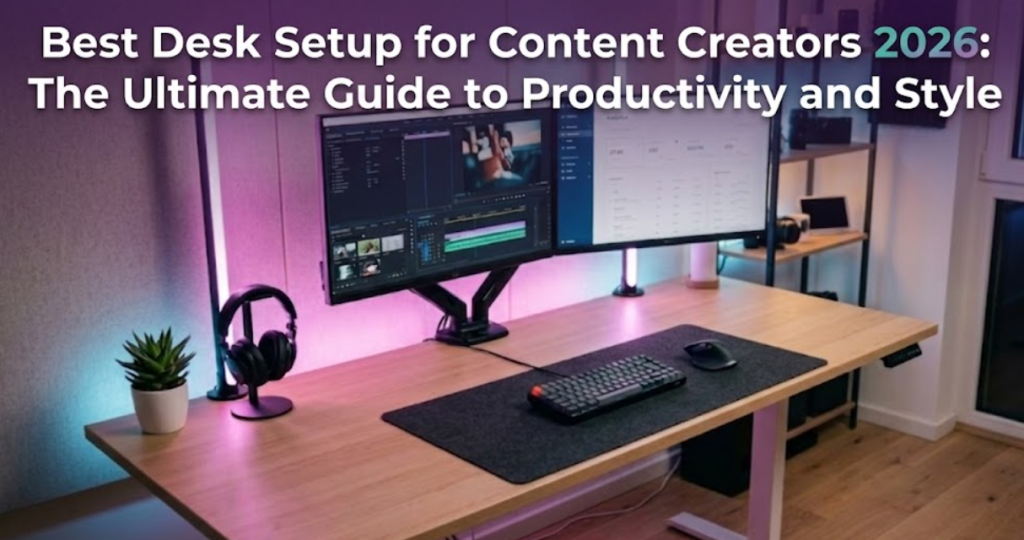
In the fast-paced world of digital creation, your desk is more than just a piece of furniture; it is the cockpit of your creative empire. Whether you are a YouTuber, a Twitch streamer, or a professional video editor, the way you organize your workspace directly impacts your output quality and, more importantly, your mental clarity.
As we move through 2026, the “standard” desk setup has evolved. It’s no longer just about having a powerful PC and a monitor. It’s about ergonomics, smart automation, and aesthetic lighting that keeps your audience engaged. In this comprehensive guide, we will break down every element of the best desk setup for content creators, from the foundation to the final RGB touch.
1. The Foundation: Why Your Desk Matters
Before we talk about gadgets, we need to talk about the surface. The best desk setup starts with a high-quality standing desk or a spacious fixed-top workstation. As a creator, you likely spend 8 to 12 hours a day at this station.
If your desk is cluttered or poorly sized, your workflow will suffer. Aim for a depth of at least 70-80cm. This allows you to maintain a healthy distance from your monitors and gives you enough room to place your microphones and audio interfaces without feeling cramped.
2. Lighting: Setting the Mood for Your Audience
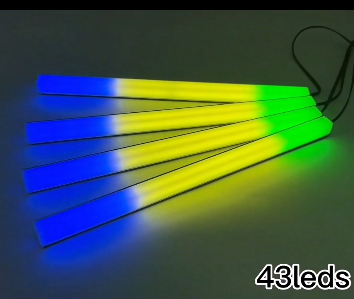
Lighting is the secret sauce of any top-tier creator. While most people think only about “Key Lights” for their face, the ambient lighting behind your desk is what creates depth and a professional “vibe” on camera.
This is where the Aura Bars™ Pro – RGB LED Ambient Light come into play. Placing these behind your monitor or along the edges of your desk transforms a boring office into a high-end studio.
Why RGB Ambient Light is Essential:
- Reduces Eye Strain: Providing a soft glow behind your screen makes long editing sessions easier on the eyes.
- Brand Identity: You can set your Aura Bars to your specific brand colors, making your videos instantly recognizable.
- Automation: Modern setups in 2026 are all about smart integration.
3. Dynamic Video: Beyond the Static Tripod
If you are a solo creator, you know the struggle of staying in frame while demonstrating a product or moving around your room. The best desk setup in 2026 incorporates AI-driven movement.
Instead of a fixed tripod, many creators are now using the AI-Track Pro – 360° Smart Face Tracking Gimbal. By placing this on your desk, you can move freely, and the camera will follow you. It’s like having a personal cameraman sitting right on your desk.
Internal Link: If you are still looking for the right camera to pair with your tracking gimbal, check out our guide on thebest camera for creators 2026.
4. Privacy and Security in the Digital Workspace
Content creators are frequent targets for digital privacy breaches. We often film “Behind the Scenes” or vlogs where we accidentally show too much of our environment.
A small but vital part of any desk setup is the Ultra-Thin Webcam Privacy Cover. In an era where “Always-On” AI assistants and webcams are integrated into every device, having a physical shutter is the only way to guarantee 100% privacy when you aren’t recording.
5. Organization: The “Pro-Travel” Mindset for Desks
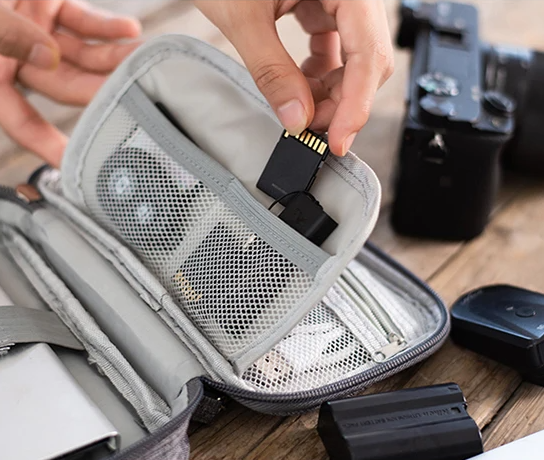
One thing many creators overlook is cable management and small gear storage. A messy desk leads to a messy mind. We recommend using specialized pouches even for your stationary setup to keep SD cards, charging cables, and dongles organized.
Using a Pro-Travel Tech Organizer Pouch Set allows you to keep your desk drawers clean. When you need to move from your desk to an “on-location” shoot, you just grab the pouch and go.
6. Audio Excellence: The Voice of Your Brand
You can have 4K video, but if your audio is poor, people will click away. The best desk setup for creators must include:
- An XLR or high-quality USB Microphone.
- A Boom Arm: To get the mic off the desk and reduce keyboard vibration noise.
- Acoustic Treatment: Even simple foam panels behind your monitor can stop “slapback” echo.
Internal Link: Need help choosing the right mic for your new desk? Read our review of thebest microphone for youtube 2026.
7. Ergonomics: Creating Without the Pain
If you want to be a creator for the long haul, you cannot ignore ergonomics.
- Monitor Height: Your eyes should be level with the top third of your screen.
- Chair: Invest in a chair with lumbar support.
- Peripherals: A mechanical keyboard and a mouse that fits your grip style are non-negotiable.
8. Putting it All Together: The 2026 Checklist
To build the best desk setup for content creators, follow this checklist:
- [ ] Desk: Minimum 140cm width.
- [ ] Lighting: Aura Bars™ Pro for background depth.
- [ ] Camera: Mounted on an AI-Track Pro for movement.
- [ ] Security: Webcam Privacy Covers on all lenses.
- [ ] Storage: Tech Organizer Pouches for small gear.
Conclusion: Your Setup is an Investment
Building the ultimate desk setup doesn’t happen overnight. It is a process of constant refinement. Start with the essentials—good lighting, a stable desk, and smart organization—and then add the specialized gear as your channel grows.
Remember, your setup should work for you, not the other way around. By investing in quality products from YourStation, you are ensuring that your focus remains on what truly matters: creating great content.