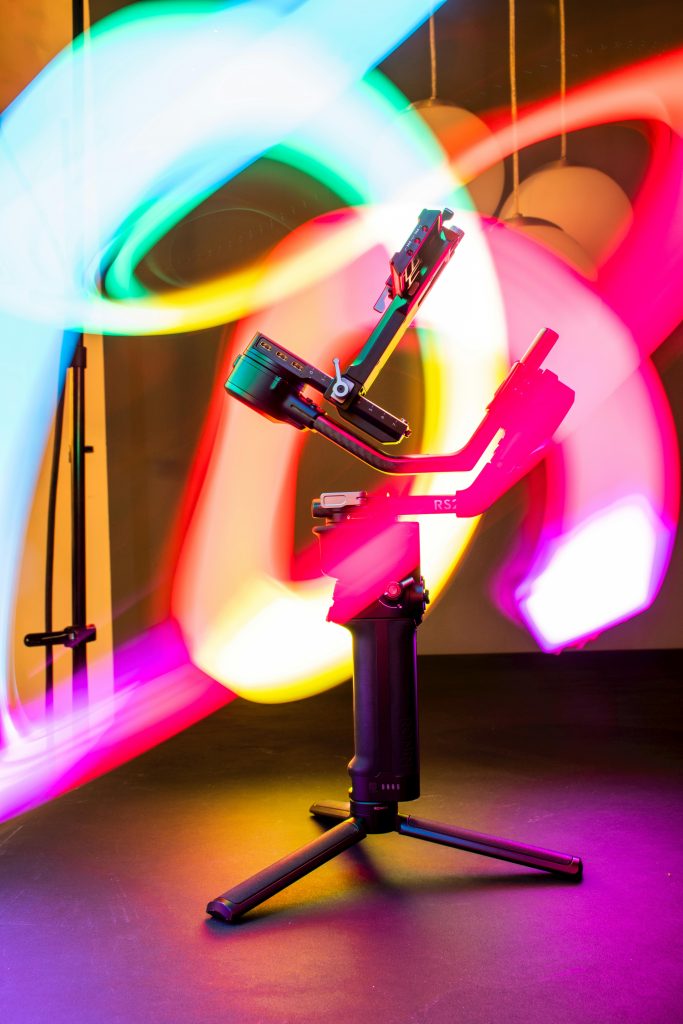
Finding the Best Camera for Content Creators 2026 is the most important step to level up your video quality this year. In 2026, the digital landscape has transformed. Audiences no longer just watch content; they experience it. Whether you are building a personal brand on TikTok, launching a high-end YouTube channel, or streaming live to thousands on Twitch, your visual quality is your first impression. At YourStation.shop, we specialize in helping new creators and influencers bridge the gap between “amateur” and “pro” without wasting thousands of dollars on the wrong gear.
The question isn’t just “which camera should I buy?”, but rather “which camera fits my workflow, my budget, and my creative vision for 2026?”. This comprehensive guide will walk you through the best options available today, from smartphone-based setups to cinema-grade powerhouses.
1. The Mobile-First Creator: Maximizing the Smartphone Revolution
Let’s be honest: the best camera is the one you already have in your pocket. In 2026, smartphone sensors have reached a point where they can compete with entry-level mirrorless cameras in well-lit conditions. However, the reason most smartphone videos look “cheap” isn’t the resolution—it’s the stability and the lighting.
Why Stability Matters in 2026
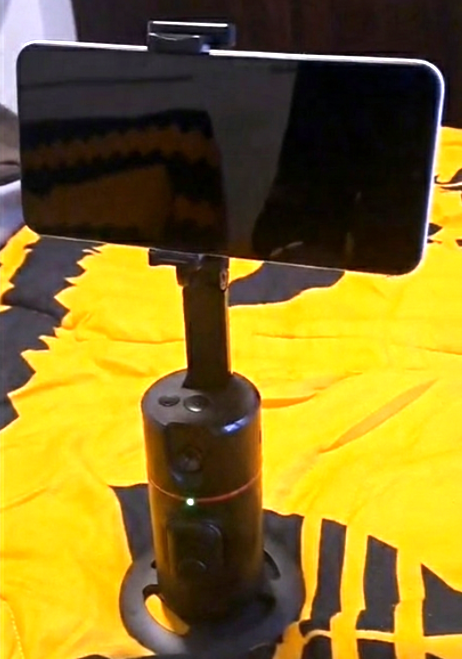
Viewers in 2026 have zero tolerance for shaky footage. If you are a solo creator filming yourself, you can’t always rely on a static tripod. This is where the becomes your most valuable asset.
Unlike traditional gimbals that require complex balancing, the AI-Track Pro uses embedded AI to recognize your face and follow you as you move around your room or studio. This allows for:
- Dynamic Storytelling: You can walk, demonstrate products, and move naturally while the camera keeps you perfectly centered.
- Solo Efficiency: You no longer need a cameraman. The gimbal handles the tracking, letting you focus on your performance.
Enhancing the Smartphone Image
To make your phone footage look like it was shot on a pro camera, you need to control the shadows. Pairing your mobile device with the creates a “rim light” effect that separates you from your background, giving that professional depth (bokeh) that smartphones often struggle to replicate digitally.
2. Budget Cameras: The Entry Level (Under $700)
For many, moving to a dedicated camera is a rite of passage. If you have a budget of around $500 to $700, you are looking for a device that offers better low-light performance and the ability to change lenses.
The Top Picks for 2026:
- Sony ZV-1F / ZV-1 II: These are the gold standard for vlogging. They feature a “Product Showcase” setting that quickly shifts focus from your face to an object you hold up—perfect for influencers doing unboxings.
- Canon EOS R100: This is the most affordable way to enter the Canon ecosystem. It’s compact, lightweight, and perfect for travel creators.
The Budget Creator’s Secret Weapon
When you spend less on the camera, you must spend wisely on your environment. A budget camera sensor is smaller, meaning it needs more light to avoid “noise” (that grainy look in videos).
By placing the behind your monitor or along the edges of your desk, you provide the sensor with high-quality RGBIC light. This allows even an entry-level camera to produce clean, vibrant, and sharp 4K footage.
3. Mid-Range Mastery: The Influencer’s Sweet Spot ($800 – $1,600)
This is where the majority of successful full-time creators live. At this price point, you get features like 10-bit color (for better editing), unlimited recording time (no overheating), and incredible autofocus.
The Sony ZV-E10 II: The King of 2026
The successor to the original ZV-E10 has taken the world by storm. With its APS-C sensor and the ability to use hundreds of Sony E-mount lenses, it’s a beast for both studio and outdoor filming.
The Fujifilm X-S20: For the Aesthetic Creator
If you hate spending hours on color grading, Fujifilm is your best friend. Their “Film Simulations” give your video a cinematic look directly in the camera. It’s the preferred choice for lifestyle and fashion influencers who want a specific “vibe” instantly.
Organizing the Mid-Range Kit
As you move into mid-range gear, you start dealing with more “stuff”: extra batteries, ND filters, charging cables, and SD cards. There is nothing more unprofessional than being on a shoot and losing a crucial cable.
This is why we created the . It’s not just a bag; it’s a workflow solution. Keeping your gear organized means you spend less time digging through your backpack and more time creating.
4. Professional Grade: High-End Production and Cinema Quality ($2,000+)
When your channel grows and your revenue increases, your equipment needs to scale. In 2026, “Pro” means more than just high resolution; it means having the dynamic range to film in any condition and the reliability to never miss a frame.
The Sony A7S III & A7 IV: The Industry Standards
The Sony Alpha series remains the king of the YouTube studio.
- The A7S III is optimized for video, with legendary low-light performance. If you often film in dimly lit rooms or want that “dark academic” aesthetic, this is the sensor you need.
- The A7 IV is the perfect hybrid. If you are a creator who also needs high-resolution photos for Instagram and thumbnails, this camera offers the best of both worlds.
The Canon EOS R5 Mark II: For the Detail-Obsessed
For creators who produce travel documentaries or high-end tech reviews, the 8K capabilities and the “Canon Color Science” make the R5 Mark II a dream. It allows you to crop into your footage (Digital Zoom) during editing without losing a single pixel of sharpness.
Studio Privacy in a Professional Environment
Even with a $4,000 camera setup, most pros still use their laptops for meetings and stream management. In an era where digital security is a major concern for influencers, protecting your “off-camera” life is essential. Using an is the professional way to ensure that you only share what you intend to share. It’s a small investment for total peace of mind in your studio.
5. The Critical Importance of Lighting (The “Pro” Secret)
Here is a hard truth about content creation in 2026: A mediocre camera with professional lighting will always look better than a professional camera with mediocre lighting.
Professional sensors, like those in the Sony A7 series, are designed to capture light. If there isn’t enough high-quality light, the sensor “struggles,” creating digital noise and flat colors.
Creating the “Creator Glow” with Aura Bars™ Pro
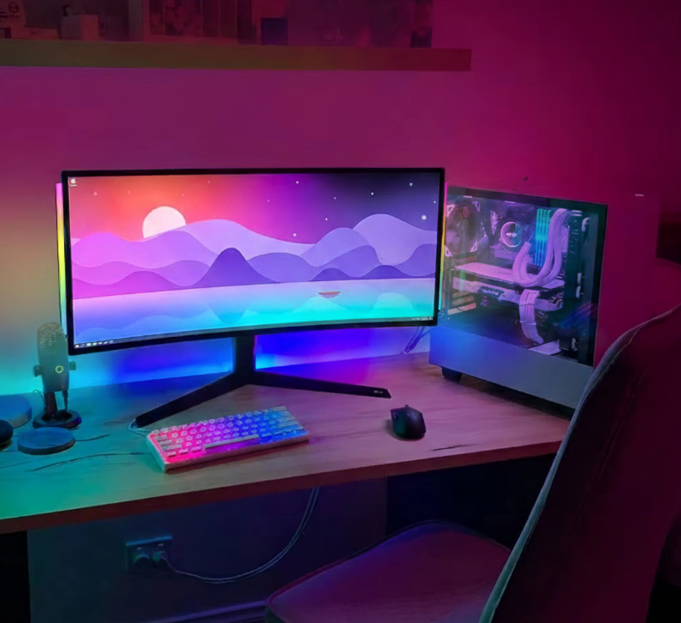
The are not just “decorations.” They are functional studio tools.
- Backlighting (The Rim Light): Place one bar behind you to create a halo effect on your hair and shoulders. This separates you from the background and creates a 3D effect.
- Mood Setting: Using the smartphone app, you can change the atmosphere of your video instantly. Doing a “horror” story? Switch to deep red. A “tech” review? Go for icy blue or clean white.
- High-Density LEDs: With 43 LEDs per bar, the light is diffused and smooth, preventing the “dot” effect seen with cheaper LED strips.
6. Audio and Stability: The Unsung Heroes
While this guide focuses on cameras, we cannot ignore the factors that make a camera “usable.”
The Evolution of Face Tracking
In 2026, the “talking head” video is evolving. Creators are moving around their spaces more. The isn’t just for smartphones anymore; it’s a philosophy of movement. For beginners, it replaces the need for an expensive camera operator. By using its 360° rotation, you can film “follow-me” style content that keeps the viewer engaged.
Organizing Your Mobile Studio
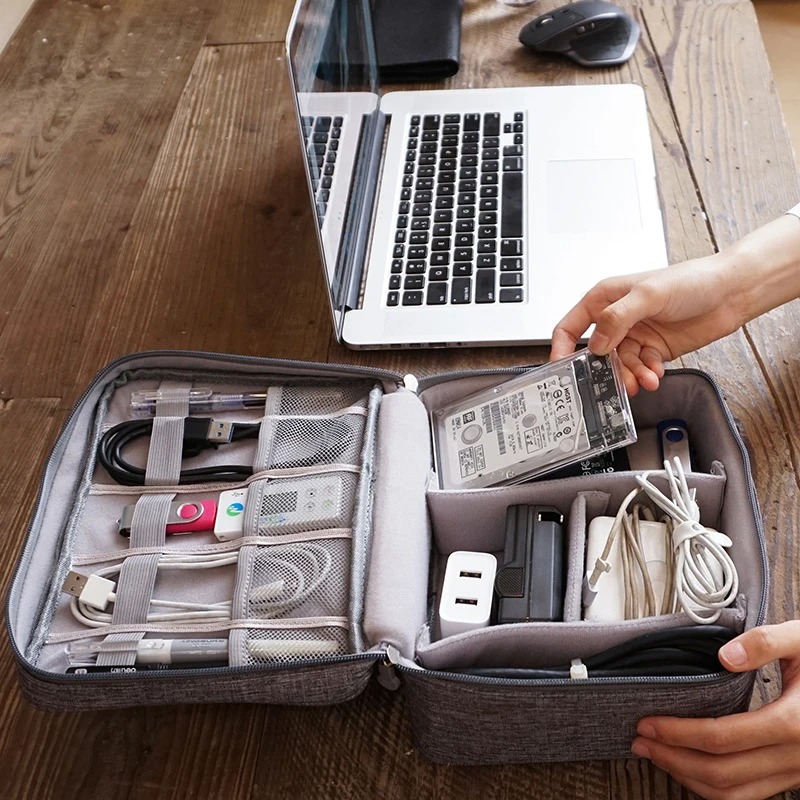
If you are a mobile creator using a gimbal and a smartphone, your biggest enemy is battery life and cable clutter. Keeping your power banks, charging cables, and lens wipes in a ensures that when you arrive at a location, you spend 2 minutes setting up instead of 20 minutes untangling wires.
7. How to Choose: The “Creator Matrix”
To help you decide, ask yourself these three questions:
- Where will I film most? (Outdoor = Needs a Gimbal like AI-Track Pro. Indoor = Needs Lighting like Aura Bars™ Pro).
- What is my primary platform? (TikTok/Shorts = Smartphone is enough. YouTube/Documentary = Mirrorless Camera).
- What is my biggest “pain point”? (Shaky video = Get a Gimbal. Boring background = Get RGB Lighting. Messy setup = Get an Organizer).
8. Final Verdict: The Best Setup for 2026
- Best for Beginners: Your Smartphone + .
- Best for Growth: Sony ZV-E10 II + .
- Best for Pros: Sony A7S III + Full Studio Lighting + .
Conclusion: Don’t Just Buy, Create.
The best camera in the world won’t make you a creator; your ideas will. However, having the right tools from YourStation.shop ensures that your ideas are presented in the best possible light (literally).
Stop waiting for the “perfect” moment to start. Choose the gear that fits your budget today, optimize your environment with professional lighting, and start recording.
Explore our full range of creator tools:
- – Perfect for your Aura Bars™ Pro setup.
- – Get your AI-Track Pro for dynamic shots.
- – Find your Pro-Travel Organizer and Webcam Privacy Covers.
Want to learn more? Check out our other expert guides: