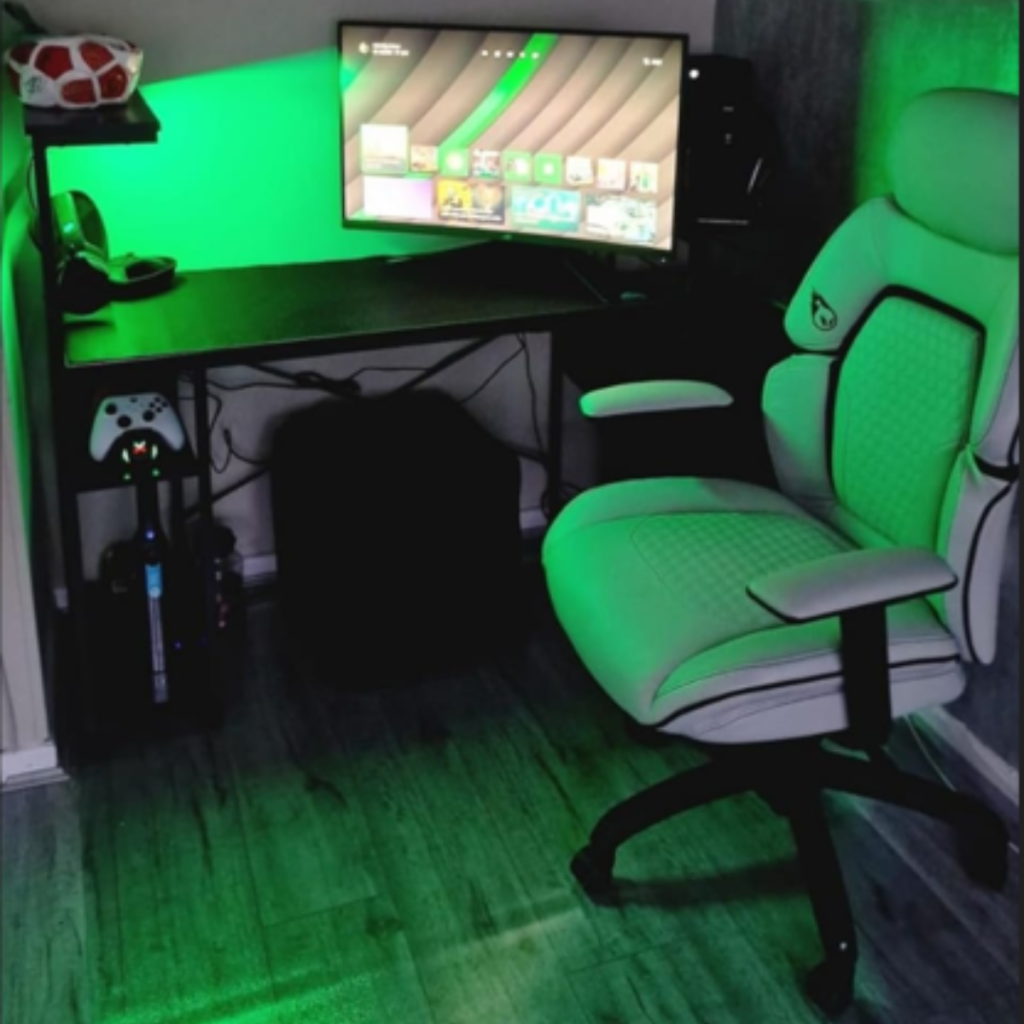
Welcome to the definitive guide for the Best Creator Setup for Beginners 2026 for aspiring digital entrepreneurs.
If you are reading this on YourStation.shop, you have already taken the first step toward professionalizing your passion. In 2026, the creator economy has matured into a sophisticated industry where “good enough” no longer cuts it. To stand out among millions of TikToks, Reels, and YouTube videos, you need a setup that balances technical excellence with aesthetic flair.
This 2026 edition of our guide is designed specifically for beginners who want to build a high-impact studio on a realistic budget. We will deep-dive into the four pillars of a professional station: Lighting, Stability, Audio, and Workflow.
1. The 2026 Creator Landscape: Quality vs. Authenticity
The biggest trend in 2026 is the marriage of raw authenticity with high-production value. While viewers want to see the “real you,” they will quickly scroll past videos with shaky frames or poor lighting.
With the rise of 4K mobile displays and AI-driven content algorithms, your visual presentation acts as your “digital business card.” A professional setup signals to your audience—and potential brand partners—that you take your craft seriously.
2. Lighting: The Soul of Your Studio
Lighting is the single most important element of any visual setup. You can own a cinema-grade camera, but without proper light, your footage will look noisy and unprofessional.
The Three-Point Lighting System
For a beginner setup, we recommend the classic three-point system, adapted for modern, compact spaces:
- Key Light: Your primary light source, placed 45 degrees from your face.
- Fill Light: A softer light to reduce the shadows created by the key light.
- Backlight (The separation): This is where you create depth.
Why the Aura Bar™ Pro is a Game-Changer
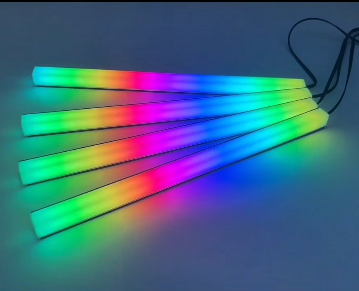
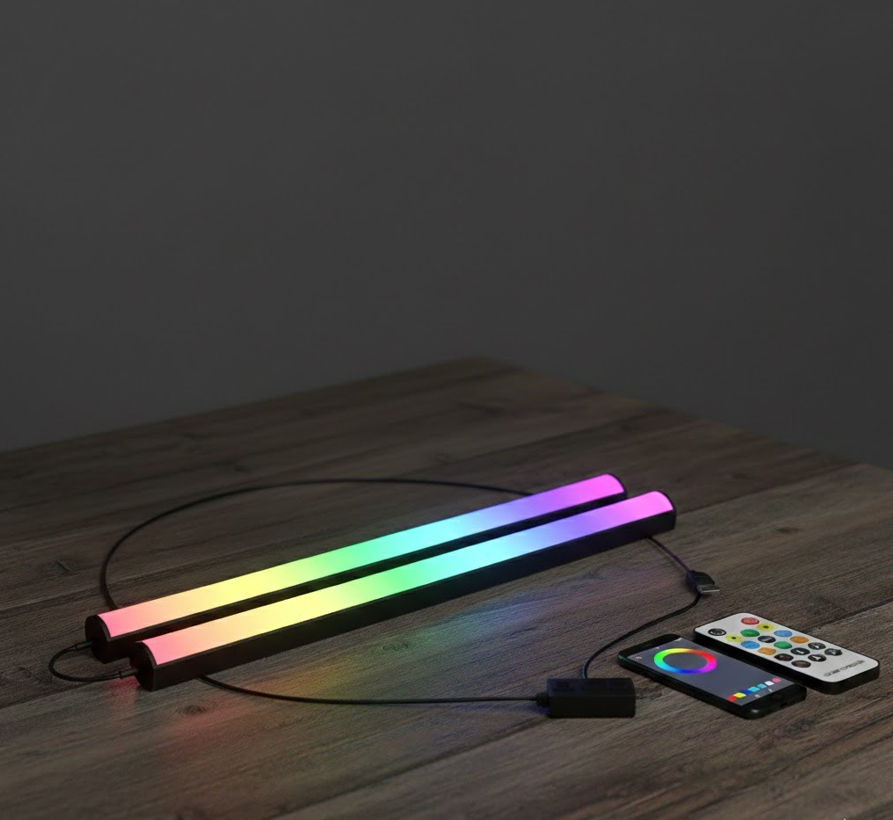
In a modern setup, the backlight is often replaced by Ambient RGB Lighting. Our flagship Aura Bar™ Pro – RGB LED Ambient Light is the perfect tool for this.
With its high-density 43-LED configuration, the Aura Bar™ Pro allows you to:
- Create Cinematic Depth: Place it behind your monitor to create a halo effect that separates you from the background.
- Match Your Brand: Use the app to select from millions of colors, ensuring your studio matches your brand’s aesthetic.
- React to Sound: Set the bars to music-sync mode for high-energy gaming streams.
3. Stability and AI: Your “Silent Cameraman”
In the past, solo creators were limited to static shots on a tripod. In 2026, movement is essential for storytelling. If you are recording a tutorial, a vlog, or a dance, you need a camera that moves with you.
Enter the AI-Track Pro
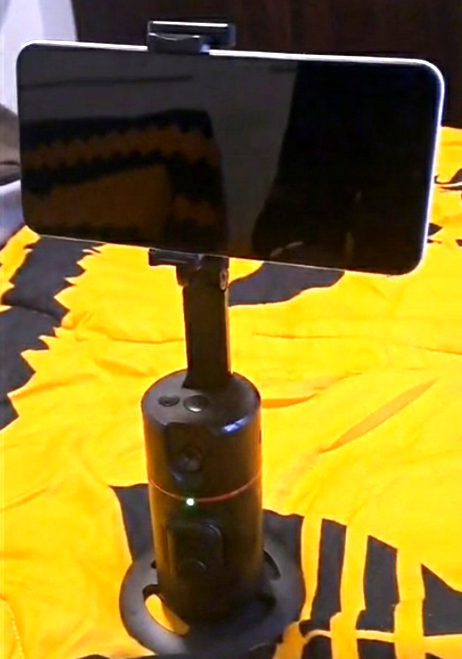
The AI-Track Pro – 360° Smart Face Tracking Gimbal (P02 Series) has revolutionized solo filming.
Unlike traditional gimbals that require complex apps, the AI-Track Pro uses native AI to recognize and follow your movements 360 degrees. This allows you to:
- Film Hands-Free: Perfect for cooking tutorials or fitness influencers.
- Stay in Frame: The AI ensures you are always centered, even during fast movements.
- Plug and Play: It works directly with your smartphone, making it the ultimate tool for beginners.
4. Audio: The 50/50 Rule
A secret among top creators is the “50/50 Rule”: Audio is 50% of the viewing experience. Users will tolerate lower video resolution, but they will immediately mute a video with “echoey” or muffled audio.
In 2026, we recommend a Directional External Microphone. Even a budget-friendly external mic will outperform your phone’s built-in microphone by filtering out background noise and focusing on your voice.
For a deeper look at audio gear, check out our companion guide: yourstation.shop/blog/best-microphone-for-youtube-2026.
5. Organization: The Pro-Travel Edge
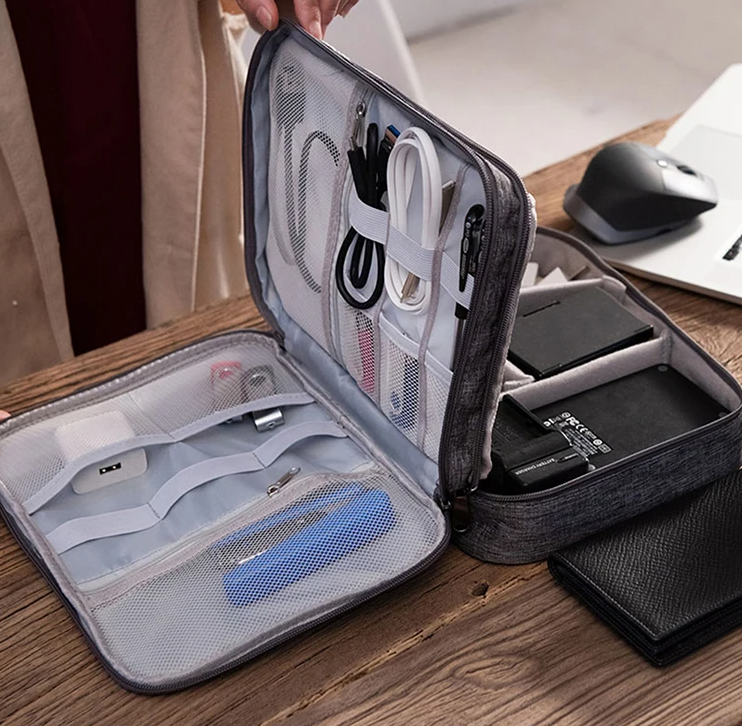
Many new creators are “Mobile First,” meaning they film in different locations. Managing cables, chargers, and small gadgets like the Ultra-Thin Webcam Privacy Cover is a common headache.
To maintain a professional workflow, we recommend the Pro-Travel Tech Organizer Pouch Set. Keeping your gear organized prevents damage and ensures you are always ready to film when inspiration strikes.
6. Planning for Growth: Beyond the Basics
As you scale your content in 2026, you will need to look into more specialized tools. Whether it’s upgrading to a dedicated camera or improving your editing workflow, your “Station” should grow with you.
Essential Resources for Your Journey
We have prepared several deep-dives to help you make informed decisions:
- The Right Vision: Read our guide on yourstation.shop/blog/best-camera-for-creators-2026 to see if you should stick with your phone or upgrade.
- Advanced Lighting: Learn how to sync multiple Aura Bars™ for a full-room immersive experience.
7. Conclusion: The Best Setup is the One You Use
The biggest mistake beginners make in 2026 is waiting for “perfect gear” before they start. The secret to success is starting with the essentials:
- Aura Bar™ Pro for professional lighting.
- AI-Track Pro for dynamic, stabilized shots.https://yourstation.shop/
- A clear, loud microphone.
At YourStation.shop, we curate only the products that offer the best price-to-performance ratio for new creators.
Ready to level up? Visit our Smart Lighting Collection and AI Gadgets today to build your dream setup.
8. Mastering the Edit: AI-Driven Video Production Techniques for 2026
In the past, the “post-production” phase was the most significant bottleneck for new creators. You could spend two hours filming with your AI-Track Pro and Aura Bar™, only to spend ten hours struggling with complex editing software. In 2026, the game has changed. AI is no longer just a buzzword; it is your virtual assistant editor, allowing you to produce high-fidelity content in a fraction of the time.
The Rise of Generative Editing and “Smart Cuts”
The first technique every beginner must master in 2026 is AI-Powered Jump Cutting. Manually scrubbing through footage to remove “umms,” “ahhs,” and long silences is a thing of the past. Modern tools now analyze your audio waveforms to automatically delete dead air. This ensures your TikToks and Reels maintain a high retention rate, which is the primary metric for the 2026 algorithm.
AI Color Grading: Matching the Aura Vibe
One of the hardest skills to learn is color grading. However, if you are using the Aura Bar™ Pro, you already have a beautiful color base. To enhance this, 2026 editing suites offer “AI Color Match.” You can simply take a screenshot of a high-end cinematic video and tell the AI to apply that specific color profile to your footage. This ensures that the deep purples and neon blues from your YourStation gear look vibrant and professional, matching the aesthetic of top-tier influencers.
Automatic Captions and Visual Hooks
In 2026, over 80% of social media videos are watched on mute. This means captions are non-negotiable. Beginners should utilize AI transcription services that not only generate text but also animate it in real-time. These “Visual Hooks” keep the viewer’s eye engaged. Look for tools that offer:
- Dynamic Keyword Highlighting: Automatically making important words larger or a different color.
- AI B-Roll Generation: If you mention a “gaming setup,” the AI can automatically suggest or insert relevant stock footage to cover your cuts.
Audio Enhancement: Making a $50 Mic Sound Like $500
Even if you are starting with a basic external microphone, AI audio restoration tools in 2026 are breathtaking. Techniques like “Voice Isolation” can remove the hum of an air conditioner or the distant sound of traffic, leaving only your voice with a “studio-crisp” finish. This is the perfect companion to the 50/50 Rule we discussed in Section 4.
The “Workflow” of 2026
To maximize your efficiency, your workflow should look like this:
- Capture: Use the AI-Track Pro for stabilized movement.
- Transcribe: Let AI generate your script and captions.
- Refine: Use AI to color-grade your Aura Bar™ highlights.
- Export: Optimize for 9:16 and 16:9 simultaneously using AI auto-reframe.
By mastering these AI techniques, you aren’t just a “video editor”—you are a Content Architect. For more tips on the best hardware to pair with these software techniques, visit our guide: yourstation.shop/blog/best-camera-for-creators-2026.
9. Monitizing Your Station: Turning Gear into Revenue in 2026
Building a professional setup with an Aura Bar™ Pro and an AI-Track Pro is not just an expense; it is a business investment. In 2026, the “Creator Economy” has evolved beyond simple ad revenue. To succeed as a beginner, you must understand how to monetize your visual quality from day one.
The “Visual Trust” Factor in Brand Deals
In 2026, brands no longer look only at follower counts; they look at Production Quality. When a brand representative visits your profile, the first thing they notice is your lighting and stability. A crisp, well-lit video using professional ambient lighting signals that you are a “High-Value Creator.” This allows you to charge 2x or 3x more for a sponsored post than a creator with a messy, dark setup.
Affiliate Marketing and “Setup Tours”
One of the most consistent revenue streams for new influencers is the “Setup Tour” or “What’s on my Desk” video. By showcasing your YourStation gear, you create organic interest.
- The “Aura Effect” Hook: Use your Aura Bar™ to create a color-coded “mood of the day.” Viewers will inevitably ask, “Where did you get those lights?”
- The “Hands-Free” Demo: Use the AI-Track Pro to film high-quality product reviews. The smooth, tracking motion makes your reviews look like professional commercials, increasing your affiliate conversion rates.
Live Streaming and Digital Gifts
Whether you are on TikTok Live, Twitch, or YouTube Live in 2026, the “Atmosphere” of your room directly impacts your “Digital Gifting” revenue. A vibrant, RGB-infused background (thanks to the Aura Bar™ Pro) keeps viewers in the stream longer. In a crowded marketplace, being the “brightest and cleanest” stream on the discover page is a competitive advantage.
Selling Your Own Digital Products
If you are a coach or educator, your setup is your classroom. High-quality audio and a stabilized camera (using our AI-Track Pro) ensure that your digital courses or webinars feel “Premium.” People are willing to pay more for a course that looks like a Masterclass rather than a grainy Zoom call.
For more insights on choosing the right gear for your niche, check out: https://yourstation.shop/shop